Downloading and Getting to Know the MusicZen Portable Files
When you purchase a license and complete the checkout process you will receive an e-mail with your license key and a link to download the executable file. At present, the file name is MusicZen_v1.4_portable.exe which reflects the current version of the app. For the free download, the file name will be MusicZen_v1.4_setup.exe.
Downloading the portable files
Once you click on the link from your e-mail receipt the file will start downloading. Once the download finishes, depending on your browser, you may need to open the Downloads folder or click the download confirmation message.
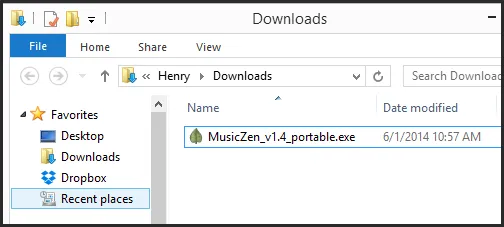
I would recommend moving the file to a folder where you will want to keep it for the long term — not your Downloads folder which you may clean out regularly. I suggest the root of the C:\ drive or your desktop, but it can go wherever you prefer.
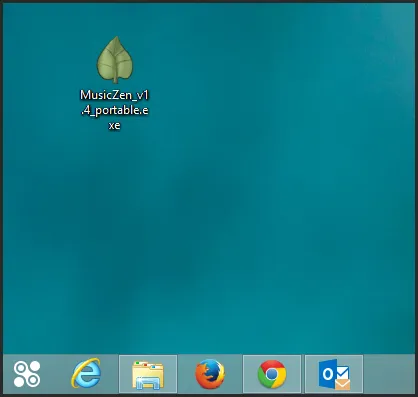
Extracting the portable files
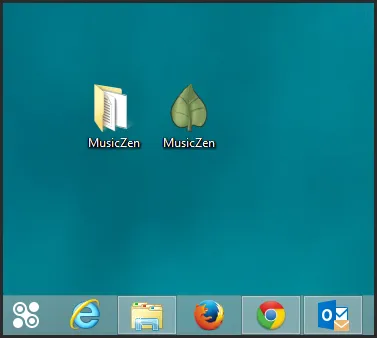
Double click MusicZen_v1.4_portable.exe to run it. The file will extract all the needed files and then self-destruct — so you will notice it disappears. In its place you will see a MusicZen folder and a MusicZen shortcut on your desktop.
Core files
The MusicZen folder will contain 3 files and 1 directory.
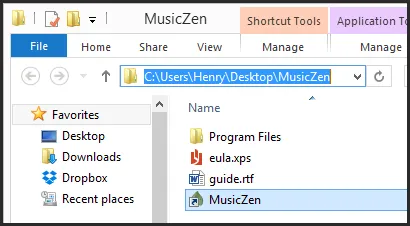
- eula.xps — End User Agreement
- guide.rtf — User Guide
- MusicZen.exe (shortcut) — starts the program
- Program Files/ — all core files (must be kept together or the app will fail to launch)
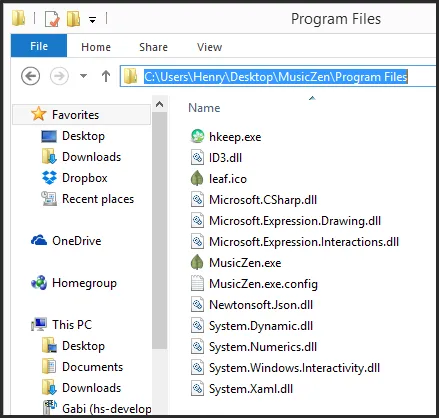
Moving MusicZen
To run MusicZen from a USB drive or transfer it to another computer, simply copy the entire MusicZen folder to the desired drive. The program will run on any Windows XP, 7, or 8 machine with the .NET framework installed.
I hope this has helped in getting you more acquainted with MusicZen. Thank you for reading and supporting MusicZen.